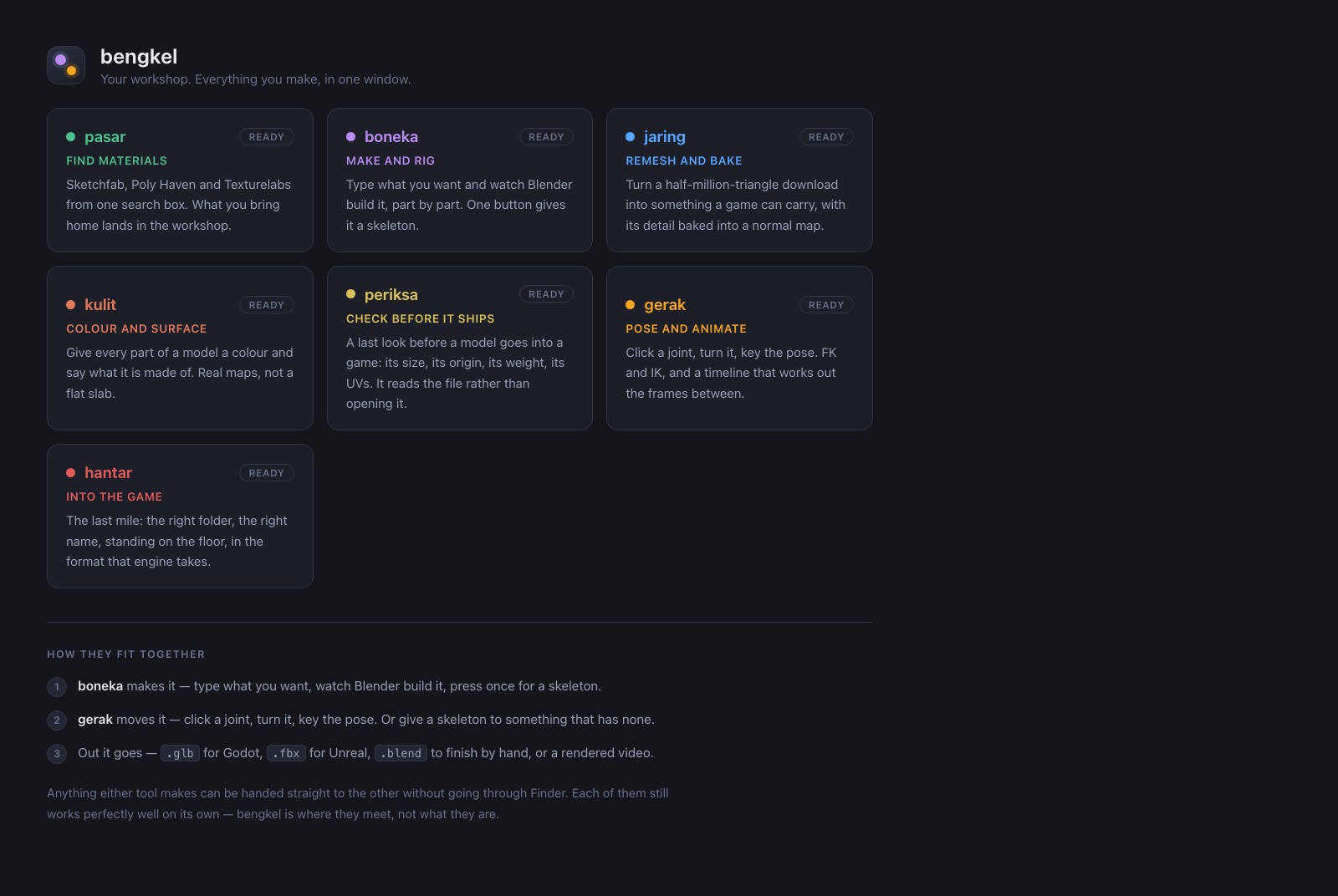
pasar Find materials
pasar searches Sketchfab, Poly Haven and Texturelabs from one box, reimplementing none of them: the three command-line tools already on the machine are loaded as modules and their functions called, so there is one description of how to talk to Sketchfab rather than two that drift. The licence is on every card before the download, anything that cannot be sold is flagged, and every file arrives with a note of its source, author and licence beside it — six months later that note is the only thing that still knows.
boneka Make and rig
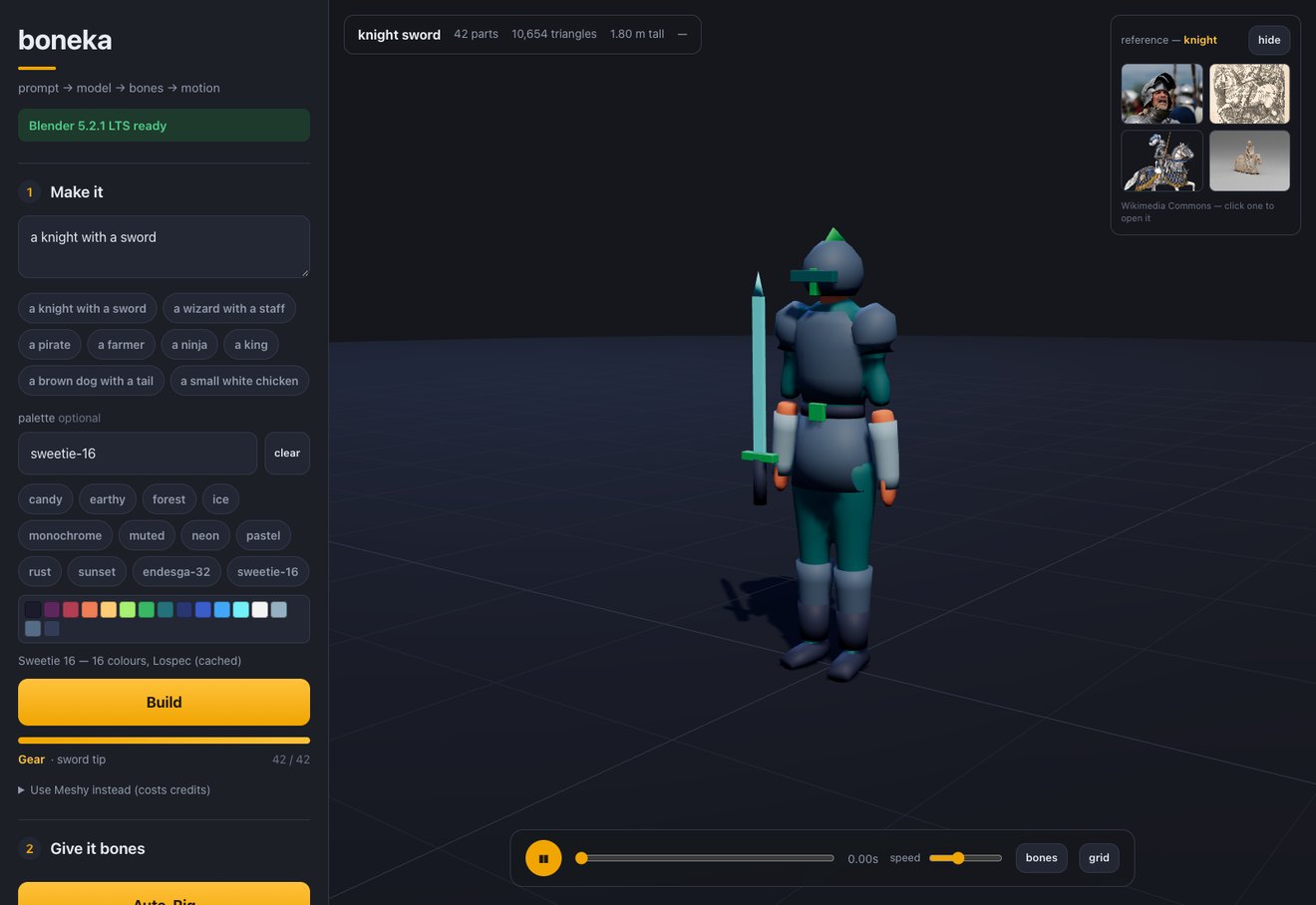
Type “a tall blue knight with a sword” and watch Blender build it in the browser, part by part, as it is being made — then press one button for a skeleton and type “walk slowly” to make it move. A knight is not a blue person: each kind of character has a kit of named pieces — breastplate, pauldrons, gauntlets, belt, tassets, greaves, boots, helmet, crest — and they go on one at a time, in that order, each fitted to the body underneath and tied to the bone it moves with, so the pauldron turns with the shoulder without anything extra. Three more things keep it from looking like stacked boxes. Every part is a lofted stack of cross-sections rather than a primitive — a torso wide at the shoulders, narrowing at the waist and widening again at the hips; an arm as a shoulder ring, a bicep swell, an elbow and a wrist — because a box with its corners filed off is still a box. Those sections are measured: the eight-head canon for the vertical landmarks, anthropometry for the widths (biacromial breadth is 0.234 of height, so the skeletal shoulder is narrower than the finished figure and the deltoids make up the difference), breed standards for the dog, real dimensions for the chicken. And the app pulls photographs of whatever you asked for alongside the viewport so you can judge one against the other. Then a sculpt pass voxel-remeshes the soft parts into one continuous skin, so the seam where an arm meets a shoulder stops being a seam, while crates and machines stay crisp on purpose. Every part is then given a surface by what it is made of — metal on armour, wood on a crate, cloth on a robe — multiplied over its colour rather than replacing it, from a free texture library read through its own licence first. Name a palette — one of ten built-in moods, or any of the thousands on Lospec — and the whole model is snapped onto it in Oklab, by an ordered assignment that keeps every colour distinct and the shading the right way up. The one-press rig survives that: vertex weights are painted on before the remesh and transferred back after, so the skeleton is still placed from the recipe rather than guessed at a cloud of triangles. Nineteen moves, each written separately for people, four-legged animals, birds and objects; motion capture clips can be dropped in and retargeted. System Python driving one long-running headless Blender, three.js in the page, 779 checks against the real thing.
jaring Remesh and bake
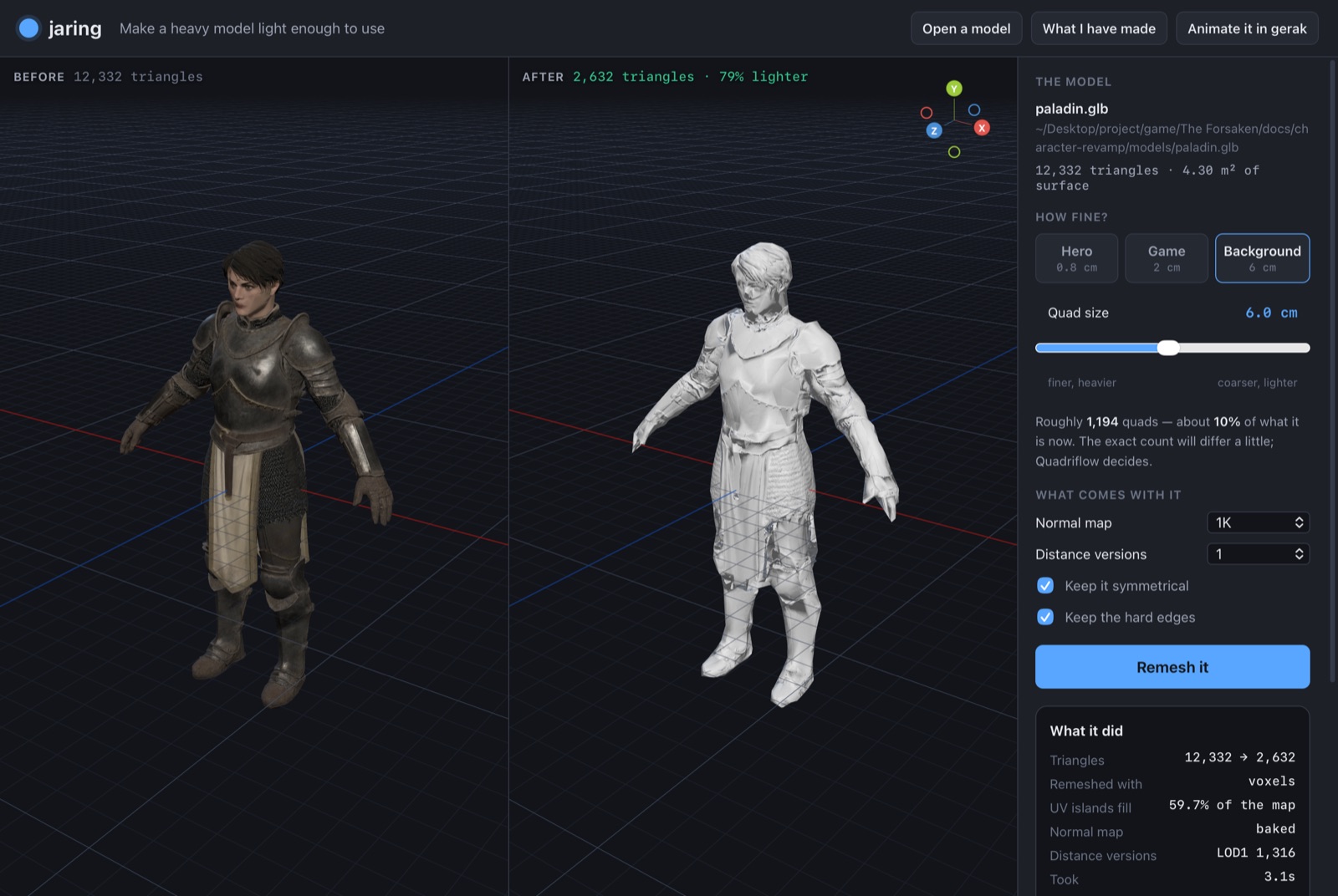
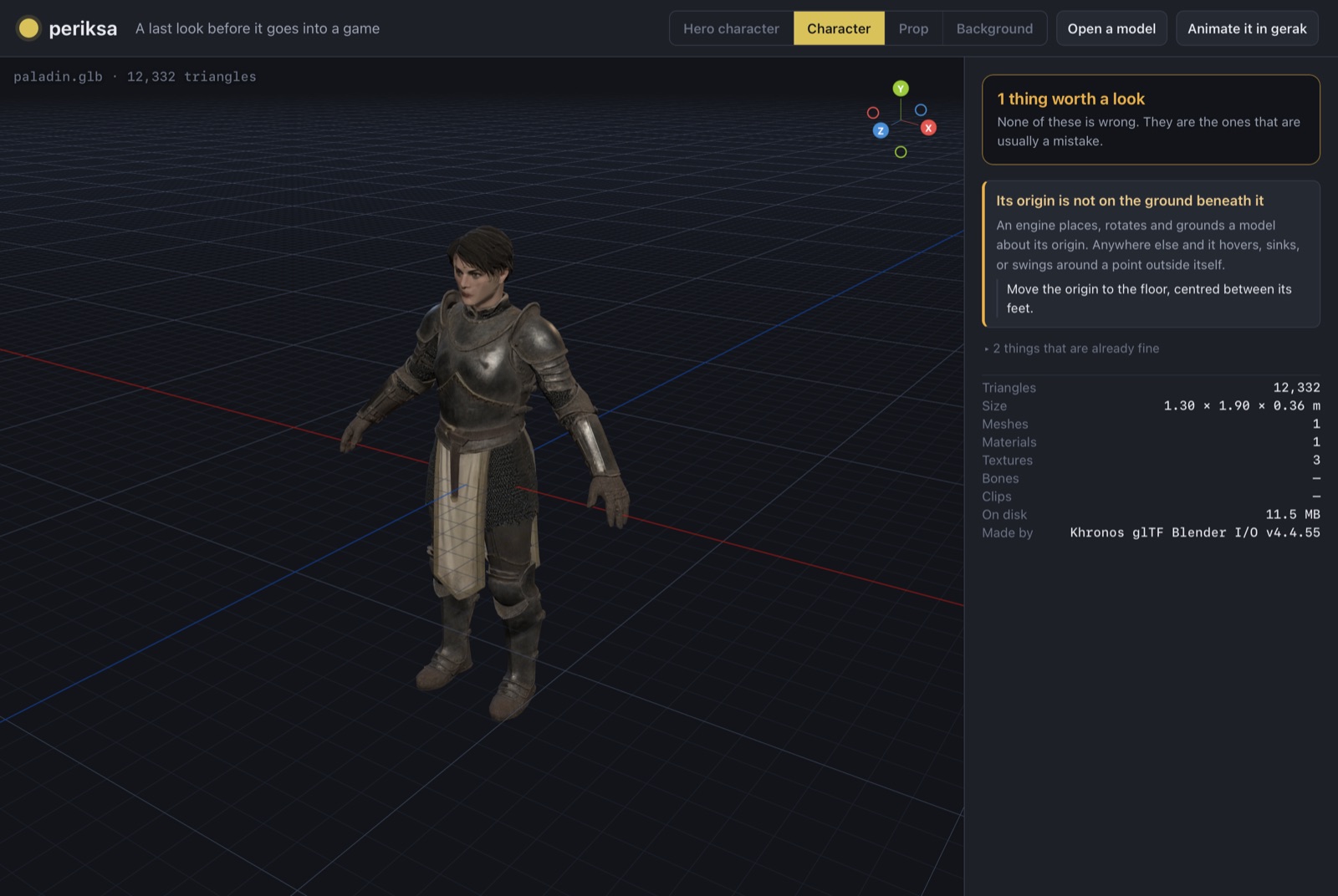
jaring asks the one question every other remesher gets wrong: not “how many faces do you want”, which nobody knows, but how wide one quad should be in centimetres, which is a thing you can picture. The face count follows from the model’s own surface area and is shown as the slider moves; one press then welds, remeshes, unwraps, bakes a normal map off the original and builds LODs through a headless Blender, and a downloaded paladin came back from 12,332 to 2,632 triangles — same size, same place, still recognisably a paladin. It refuses four failures that raise nothing. A glTF has no shared vertices, so a model that has been through one arrives as loose triangles that merely touch and is never closed — a sphere exported and re-imported comes back with 32,512 non-manifold edges — and without welding first, the quad remesher is never once given a surface it can work on. Blender’s Quadriflow then lies twice: it cancels rather than raising, and on a mesh it could not handle it reports success and hands back shards at a different size, which every other check passes. So the result is measured against what went in — a remesh of a thing is the same size as the thing — and anything else is done again another way. A bake is never wired to read the image it is writing; each LOD gets its own file, because three inside one are not alternatives but three copies standing inside one another; and when a result comes out heavier than it went in, it says so rather than reporting “−2% lighter”.
kulit Colour and surface
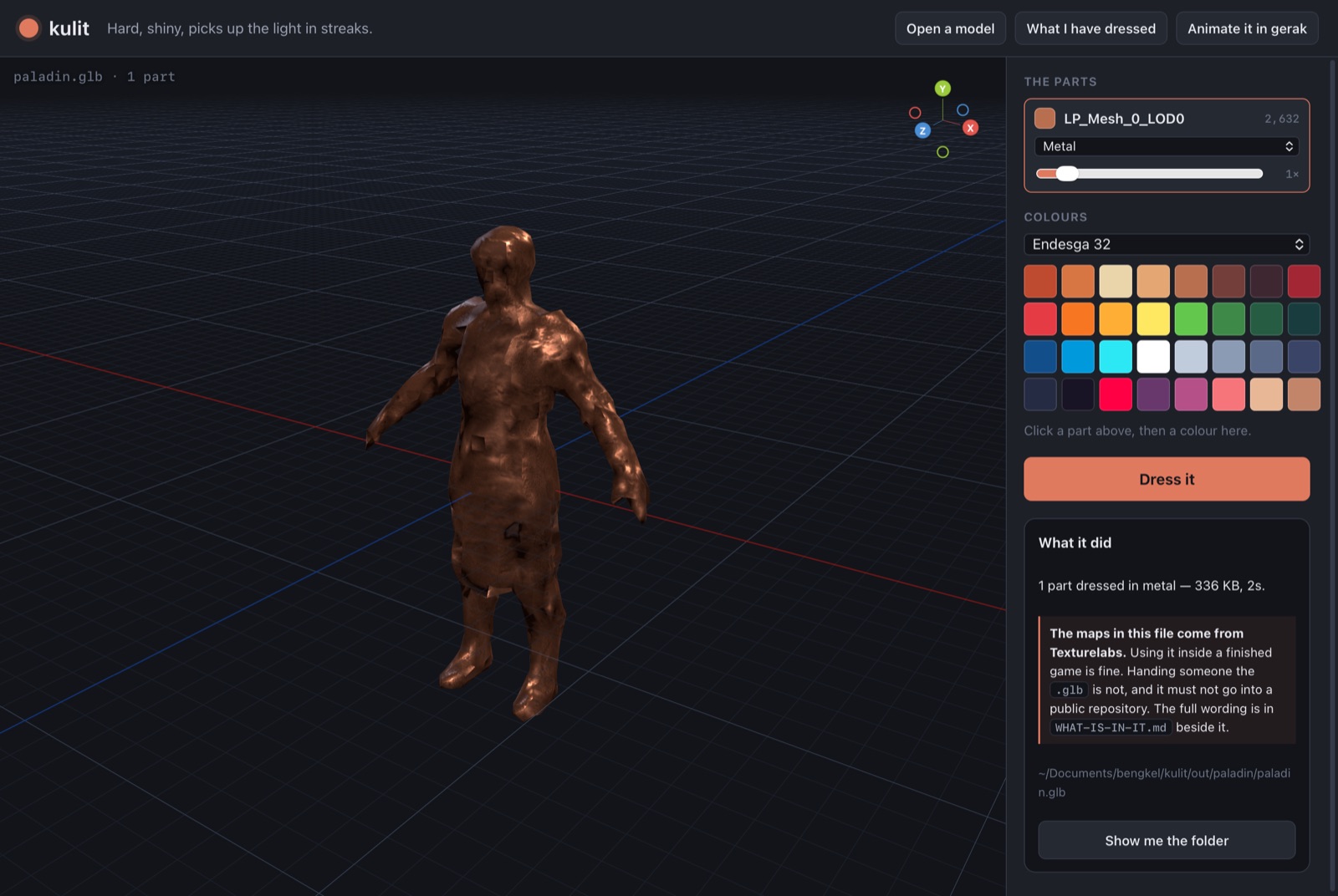
kulit — skin — is the dress stage. jaring hands over a clean grey mesh with no colour at all, and pasar hands over a download whose materials are twelve slots of somebody else’s idea; here a model gets a surface it chose. Every part of the model gets a row: its name, its triangle count, a colour and one of nine materials — metal, wood, fabric, leather, stone, concrete, brick, soil or plain — with a slider for how often the surface repeats. Click a part on the model and its row is selected, which is the way round you reach for when the parts are called Mesh_0 and Mesh_1. A material with no photograph behind it is greyed out rather than offered, because choosing it would silently give flat colour and nothing would say so. The colour lands on the model the instant you click a swatch; the surface waits for Dress it, because deriving maps from a photograph is real image work and a faked preview would be worse than being plain about the split. Colours come from boneka’s palettes and the maps from boneka’s own photo-to-material code, so the two tools agree rather than each keeping a version.
periksa Check before it ships
periksa is the last look before a model goes into a game, and it reads the file rather than opening it — a .glb carries its own table of contents, so the size, the origin, the weight and the UVs are all answerable in milliseconds instead of the thirty seconds a Blender launch costs, which is the difference between a thing you run on every model and a thing you run when you already suspect something. It refuses to grade: a 400,000 triangle model is right for a cinematic and hopeless for a crowd, so it asks what the thing is for and the same model passes as a hero and fails as scenery, with every finding carrying what it found, why it matters and what to do.
cermin Capture motion
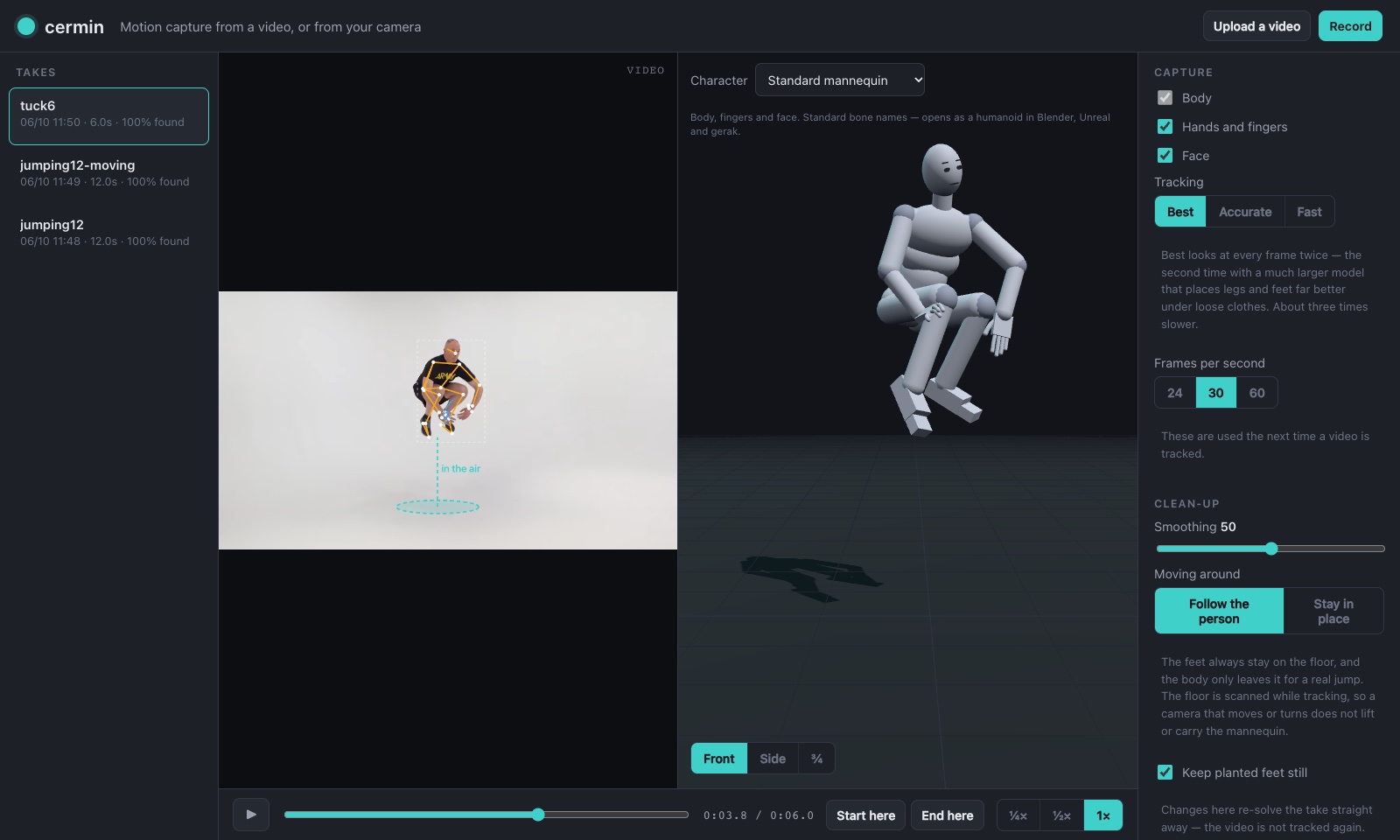
cermin is motion capture from an ordinary video — one uploaded, or one recorded with the Mac’s camera right there on the rail. It finds the person, follows body, fingers and face frame by frame on this Mac, and solves it onto a standard 65-bone rig. The part that took longest is the floor: it is scanned in every frame, so a camera that moves in, out or around never lifts the feet or carries the body away, and the body only leaves the floor for a jump that fits gravity. Send to gerak hands the take next door with a key on every bone, ready to be cleaned up by hand.
gerak Pose and animate
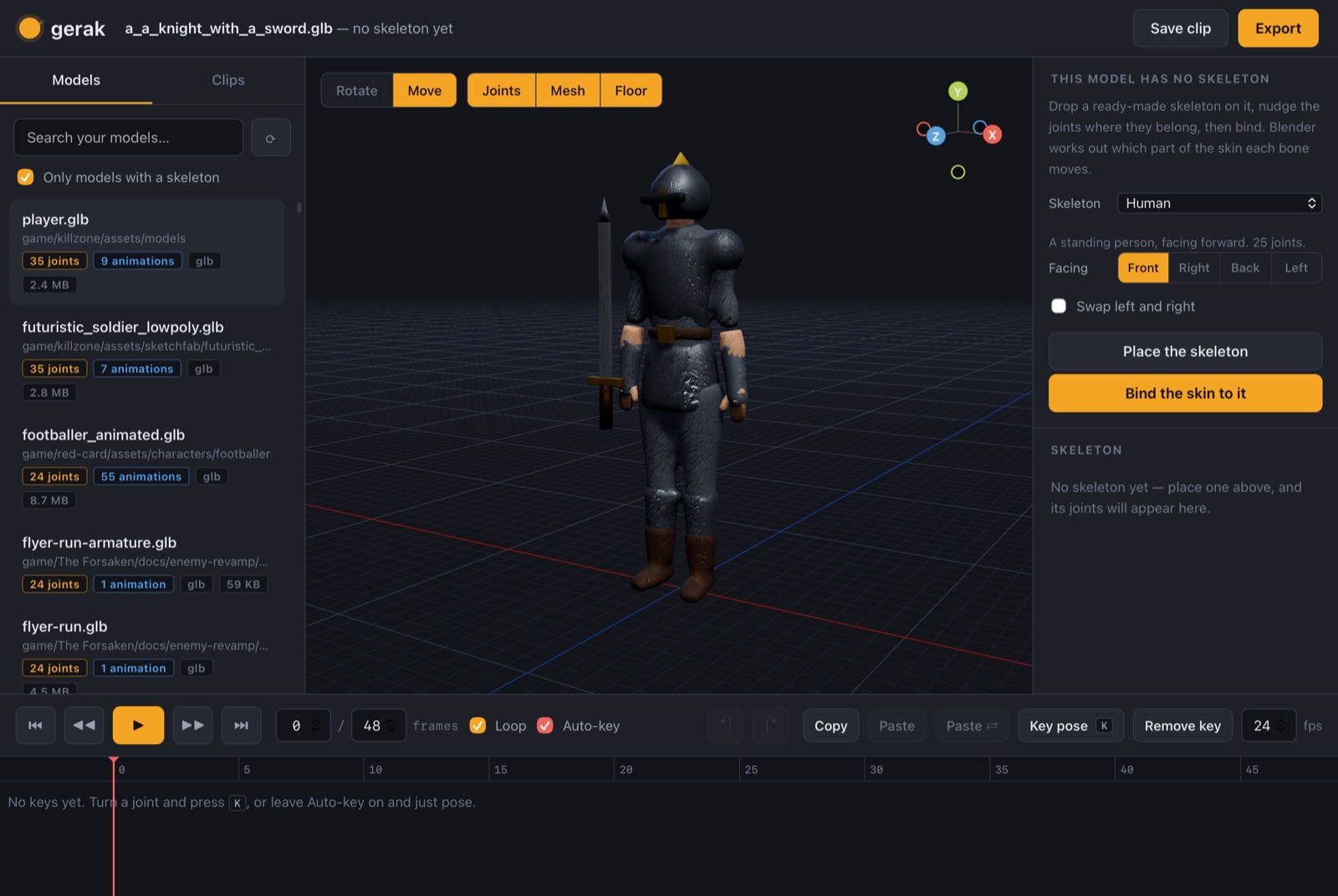
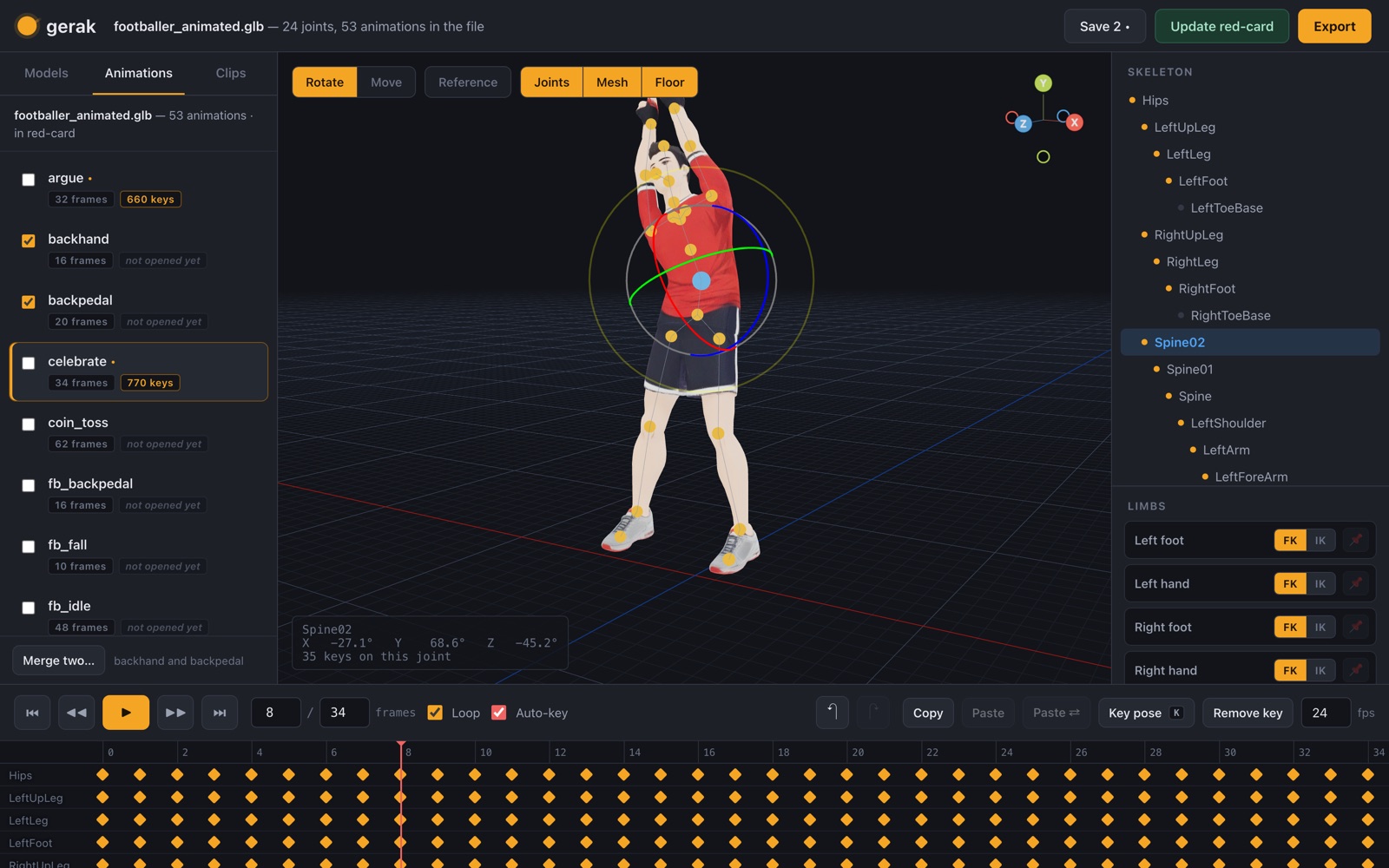
A Mac app for animating the 3D models already on one machine — its own window, its own menu bar, a Dock icon, and a server it starts and stops itself. It scans the machine and finds 3,442 of them — reading each .glb’s JSON header rather than the whole file, so a full sweep takes 1.2 seconds — and reports that only 312 carry a skeleton. Open one of those, click any joint, turn it, and press a key; a timeline works out every frame in between. The other 3,130 get a skeleton first: drop a ready-made one on the model — human, four-legged animal, bird, fish, or a plain chain for a snake or a rope — written in the model’s own bounding-box coordinates so the same numbers fit a chess piece and a two-metre character, nudge the joints, and headless Blender weights the skin to them and counts whatever no bone reached rather than hiding it. Each arm and leg switches between FK, turning one joint at a time, and IK, dragging a handle and letting the shoulder and elbow be worked out — solved exactly rather than iteratively, by the law of cosines, so a hand lands 1×10⁻⁷ from where it was put and a pinned foot slips 1×10⁻⁸ while the body tilts above it. The IK is only a way of posing: what gets keyed and exported is plain bone rotations, because a .glb carrying constraints is quietly stripped of them by Godot and by Unreal. Out come .glb, .fbx, .blend and a rendered video. The application around all of it is one Swift file and a shell script — no Xcode project, because an app bundle is a folder with an Info.plist in it and swiftc comes with the command line tools. Drop a model on the window or open one from Finder; the path is caught in AppKit, because JavaScript is handed a dropped file’s contents but never its path. Nothing is installed and nothing is hosted: the Python that ships with macOS, a copy of three.js in the folder, and the Blender already there. And because animating from memory is how a walk comes out looking like somebody wading, there is a reference panel: it searches Wikimedia Commons and puts Eadweard Muybridge’s motion studies first — people and animals photographed frame by frame in the 1880s to settle what a galloping horse really does with its legs, long out of copyright, and many already assembled into animated GIFs. A GIF is a sequence already, so pinning one pulls it apart into frames and the timeline steps it proportionally: a twelve-frame Muybridge walk against a forty-eight-frame clip advances one reference frame every four, so frame 24 sits beside reference frame 6 whatever length either is. The picture floats over the viewport, draggable and fadeable, and is copied to disk and saved with the clip — a reference that lives at a URL is gone when the link rots. The page never talks to Commons: the server fetches the picture and serves it, so nothing on screen breaks the origin rule and Commons never learns what is being animated. A character is rarely one animation, so the app holds them all: a footballer in one of the games carries fifty-three in a single file and an athlete in another carries twelve, each played by name from the game’s own scripts, and any of them can be opened on the timeline, re-posed and put down again with its edits intact. Two that ought to be the same thing — two runs for two different occasions — can be merged into one, keeping whichever motion is chosen; before it deletes the other name it searches the game’s scripts and scenes for it and lists every line that says it, because a Godot script asking an AnimationPlayer for a name that has stopped existing is a runtime error in a game that worked an hour ago. Then one button puts the result back into the file the game actually loads. It does that by editing the .glb’s own glTF JSON and binary buffer in place rather than re-exporting it through Blender, because a round trip rebuilds the materials and can move the vertex order — a great deal of collateral change to a live game asset for the sake of one animation. Only the animations that were edited are rewritten; the rest are never even decoded, so they keep their original curves down to their interpolation, and the mesh, the skin, the materials and the node tree come out byte for byte. The suite proves that accessor by accessor after eleven consecutive rewrites, with the file the same size every time — the orphaned accessors are collected and the buffer repacked, or a file pushed to ten times would be mostly the animations it no longer has. The keys are thinned against a linear sampler at about a ninth of a degree on the way out, taking one athlete from 1,509 keys to 314 without changing the motion, and a copy of the file as it was goes into a backups folder first, every single time.
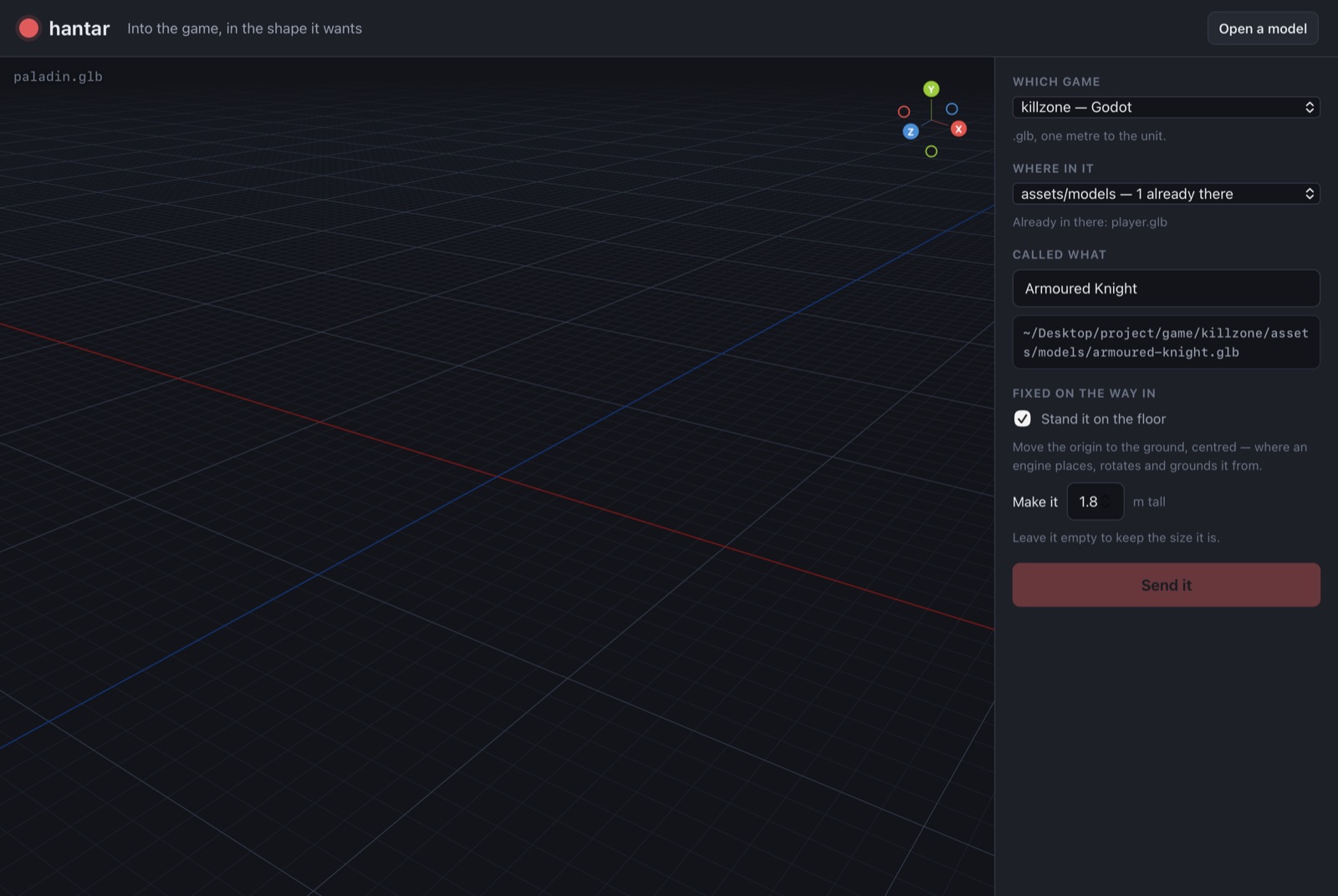
hantar Into the game
hantar is the last mile into one of the twelve game projects, and the only tool that writes outside the workshop — so it writes nowhere else, and the guard is in the server rather than the page. It invents no layout: for each game it finds where that project already keeps its models and how those files are already spelled, so the same typed name becomes walker_walk.glb in one project and walker-walk.glb in another, because a tool that imposes its own convention on twelve existing projects makes work rather than saving it. It stands the model on the floor, scales it to a real height, and exports for Godot or for Unreal, which counts in centimetres.